


Storage and quota
Your NevTan storage is shared across products. The meter in Drive shows your Drive files and your NevTan Mail mailbox as a single total — the same number Mail shows.
The storage meter
The bar at the bottom of the sidebar shows how much of your quota is in use. It updates after uploads, deletions, and edits.
Storage details
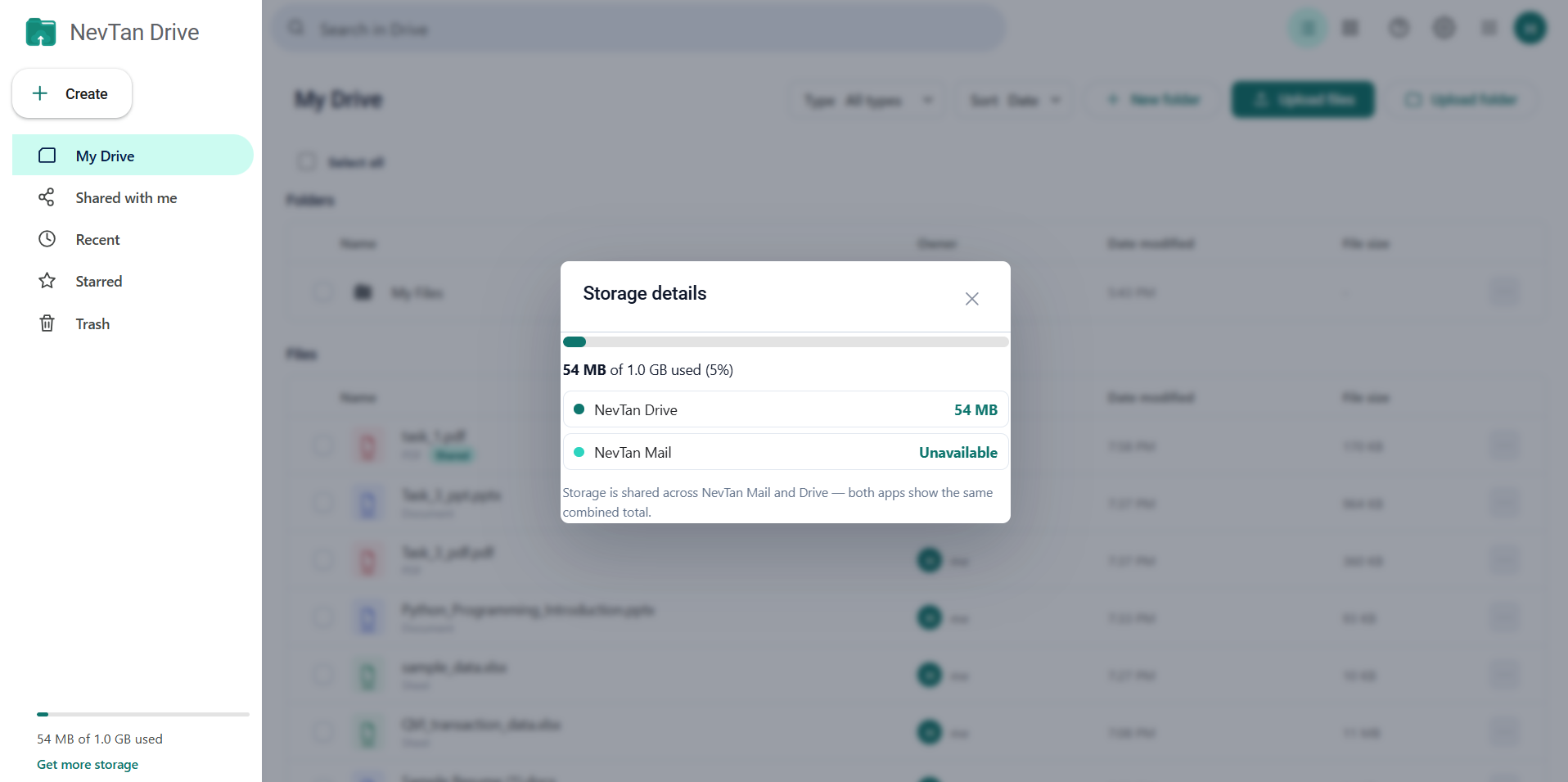
For the breakdown, open the settings (gear) menu in the top bar and choose Storage details. The panel shows:
- The combined total used, the quota, and the percentage.
- NevTan Drive — how much your files take.
- NevTan Mail — how much your mailbox takes.
Freeing up space
- Empty Trash — deleted items still count until they are gone for good.
- Sort by Size in My Drive to find the largest files first.
- Filter by type — Videos and Archives are usually the biggest consumers.
- Clear out large messages and attachments in NevTan Mail, which draws on the same quota.
The Email attachments folder
When you send a large attachment from NevTan Mail, the file is stored in an Email attachments folder in your Drive and the email carries a share link to it instead of the file itself. That is why the folder can appear without you creating it, and why the attachment counts toward your Drive storage.
Upload limits
A single file can be up to 100 MB. There is no limit on how many files you upload beyond your overall quota.
Common questions
How do I see what is using my space?
Open the settings (gear) menu in the top bar and choose Storage details. The panel shows the combined total used, your quota and the percentage, then splits it into a NevTan Drive row and a NevTan Mail row.
What is the quickest way to free up space?
Empty Trash first — deleted items keep counting toward your quota until they are gone for good. After that, sort My Drive by Size to find the largest files, and filter by type: Videos and Archives are usually the biggest consumers. Clearing large messages in NevTan Mail also helps, since it draws on the same quota.
Why does the NevTan Mail row say Unavailable?
Drive asks Mail for its figure when the panel opens. If Mail cannot be reached at that moment, the row reads Unavailable and the total covers Drive only. Nothing is wrong with your account or your files.